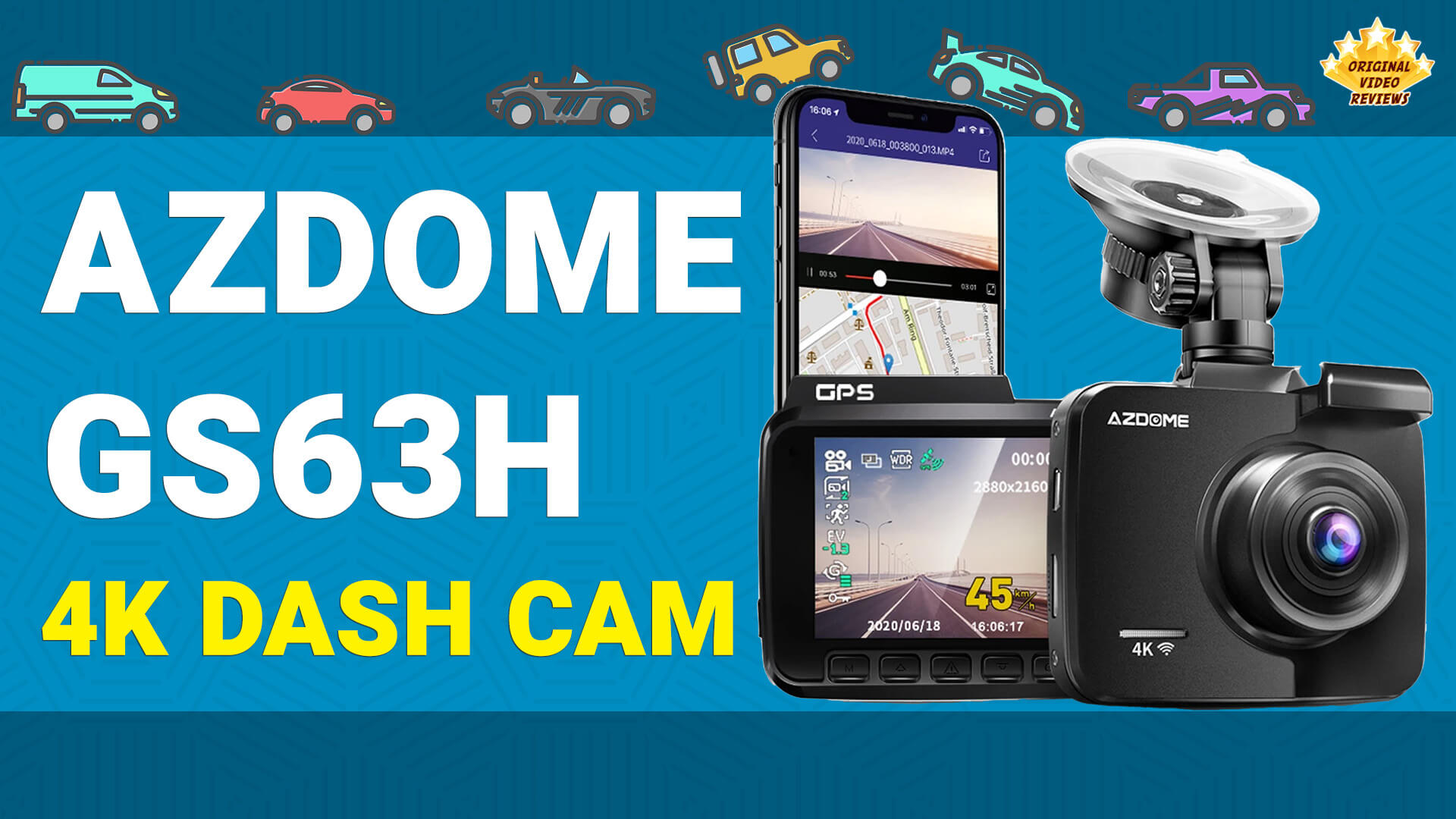
AZDOME GS63H 4K Dash Cam Affordable dash cam with WiFi, a 2.4-inch screen, and 2880x2160 video
Overview
An affordable 4K dash cam.
It has three modes - video recording, photo shooting, and media playback.
In addition, the camera offers WiFi connectivity. This allows you to control the camera from a smartphone copy files, transfer recorded files, and more.
Video Review
AZDOME GS63H 4K Dash Cam Full Review
Everything you need to know about the AZDOME GS63H, an affordable 4K dash cam. The review includes unboxing, an overview of the features & menus, video footage during daytime & night in different resolutions, how to operate the WIFI & AZDOME APP, and much more!
- Unboxing · 00:00
- Camera overview · 00:49
- Modes overview · 02:17
- Video Mode menu · 02:36
- System Settings menu · 03:54
- Photo Mode menu · 05:12
- Playback Mode menu · 06:02
- Buttons · 06:10
- WIFI & APP · 06:21
- 1920x1080 Daytime · 07:25
- 1920x1080 Night · 08:01
- 2880x2160 Daytime · 10:05
- 2880x2160 Night · 12:37
- Final words · 13:46
Product details
- Brand
- AZDOME
- Model No.
- GS63H Sold on Amazon as "Rove R2-4K"
- Type
- Dash Cam
The AZDOME GS63H is a single-lens dash cam with a 2.4-inch LCD screen and a 170-degree ultra wide-angle lens. It records up to 2880x2160 at 24fps, or 1920x1080 at up to 60fps, and can also take photos.
It has three modes: video recording, photo shooting, and media playback. Built-in WiFi lets you control the camera from the AZDOME APP on a smartphone.
Footage is stored on a microSD card of up to 128GB (Class 10 U3 or above).
Specifications
Video & Display
| Video Recording | |
| Video Format | MP4 |
| Video Codec | H.264 |
| Single Camera | 2880x2160 P24 / 1920x1080 P60 / 1920x1080 P30 / 1280x720 P120 / 1280x720 P60 / 1280x720 P30 |
| Dual Camera | FHD 1920x1080 P30 + VGA P30 |
| PIP Style | Only Front (Full) / Front (Top, Big), Back (Small) / Front (Top, Small), Back (Big) / Only Back (Full) |
| Lens & Screen | |
| Lens | 170 degree A + HD ultra wide angle |
| Aperture | F=1.8 |
| Display | 2.4" LCD screen |
Camera & Photo
| Hardware | |
| Processor | NOVATEK NT96660 (Built-in 2Gb DDRIII) |
| Image Sensor | SONY IMX 335 |
| Photo | |
| Photo Resolution | VGA / 1.3M / 2M HD / 3M / 5M / 8M / 10M / 12M |
| Photo Format | JPG |
Features & Recording
| Recording Features | |
| Loop Recording | Yes |
| Auto Power ON | Yes The camera will turn ON automatically when it receives power. |
| Auto Power OFF | Yes The camera will turn OFF automatically within a few seconds when it stops receiving power. |
| Motion Detection | Yes This mode should be disabled when driving. It is designed for use when your car is parked and not moving. The sensitivity is affected by many factors, and the available distance is about 3 meters. |
| Parking Mode | Yes When enabled, the dashcam automatically starts recording a video for approx. 60 seconds and locks it when any collision/impact/bump is detected. In this case, The camera uses its built-in battery. |
| G-sensor | Yes |
| GPS | Built-in |
| Audio | |
| Built-in Microphone | Yes |
| Built-in Speaker | Yes |
Power, Storage & Environment
| Power | |
| Power Interface | 5V / 1.5A |
| Battery | Built-in 250mAh Li-ion battery |
| Storage | |
| Memory Card | TF card / microSD Up to 128GB, Class 10 U3 (or above) |
| Environment | |
| Working Temperature | -20°C to 60°C |
Language Support
| On-Screen Menu Languages | |
| Supported Languages | Chinese / English / French / German / Italian / Japanese / Portuguese / Russian / Spanish / Thai / Polish / Dutch / Vietnamese |
Inside the box
Pros
Materials and build quality The AZDOME GS63H doesn't feel cheap and has a solid build quality.
Decent video quality At first, I configured the camera to record footage in 1920x1080 pixels at 60fps to save memory card space. However, I later changed it to its maximum resolution of 2880x2160 pixels at 24fps to test its capabilities. In both settings, the resulting recordings were clear and sharp, even in low-light conditions. In most cases, objects such as license plates, road signs, and faces were clear and identifiable.
The 360° suction mount Since this is a single-lens camera (excluding the option to add a rear camera), I find it useful to rotate the camera to capture certain incidents.
It attaches and dispatches easily, and provides a reliable grip for the camera.
Offers multiple features The AZDOME GS63H offers a variety of settings. You can see them in my video review.
WIFI control is useful and works well Turning on the camera's WiFi connection creates a private wireless network that allows it to connect to other devices.
It requires you to install the AZDOME APP on your smartphone. The APP is available for both Android and iOS.
AZDOME APP on GOOGLE PLAY STORE for Android devices
AZDOME APP on APPSTORE for iPhone/iOS devices
With WiFi connectivity, the dash camera can easily transfer recorded video and other data to a smartphone, tablet, or computer without the need for cables or memory cards. This makes it easy to view, edit, and share footage directly from the device or online.
Additionally, the APP offers real-time monitoring, allowing you to view the camera's live feed remotely from your smartphone. This can be useful for monitoring a parked car or keeping an eye on someone else's driving.
Cons
Some features require a GPS module.
Some features require wiring the rear camera Certain features such as "Time Laps Parking Mode" and "24-Hours Parking Mode" will be shown only when the camera is connected to a 3-lead hardwire kit.
Photos
Where to buy
Below are the links to purchase the AZDOME GS63H 4K dash cam (or similar models):
FAQ
Does this camera shoot video in 4K resolution?
And although this is a 2160p resolution, it is not a 4K resolution.
How to turn the camera ON/OFF manually?
To turn the camera OFF, press the power button for two seconds.
What is the built-in speaker for?
What is the HDMI port for?
Can I insert/remove the memory card when the camera is ON?
How to switch between the camera modes (video/photo/playback)?
Where can I find the AZDOME APP?
AZDOME APP on GOOGLE PLAY STORE for Android devices
AZDOME APP on APPSTORE for iPhone/iOS devices
Additional notes about the camera's "WiFi Mode":
- The smartphone has to be within 3 meters (~10 feet) of the camera.
- When WiFi is enabled, the dashcam won't respond to pressing the buttons.
- To exit the "WiFi Mode", press the middle emergency button.
What can you tell me about GPS tracking in this camera?
How can I update the firmware in this camera?
Got questions about the AZDOME GS63H dash cam?
Already purchased the AZDOME GS63H dash cam yourself?
More Car Tech

Car Tech & Accessories
Check out my full collection of dash cams and car tech reviews, all covered hands-on.
Explore All ReviewsSubscribe OVR channels
Choose the channels you like and subscribe on YouTube.
Disclaimer
This post contains affiliate links.
Please check out my disclosure policy for more details.
Thank you for your support & understanding!

Comments