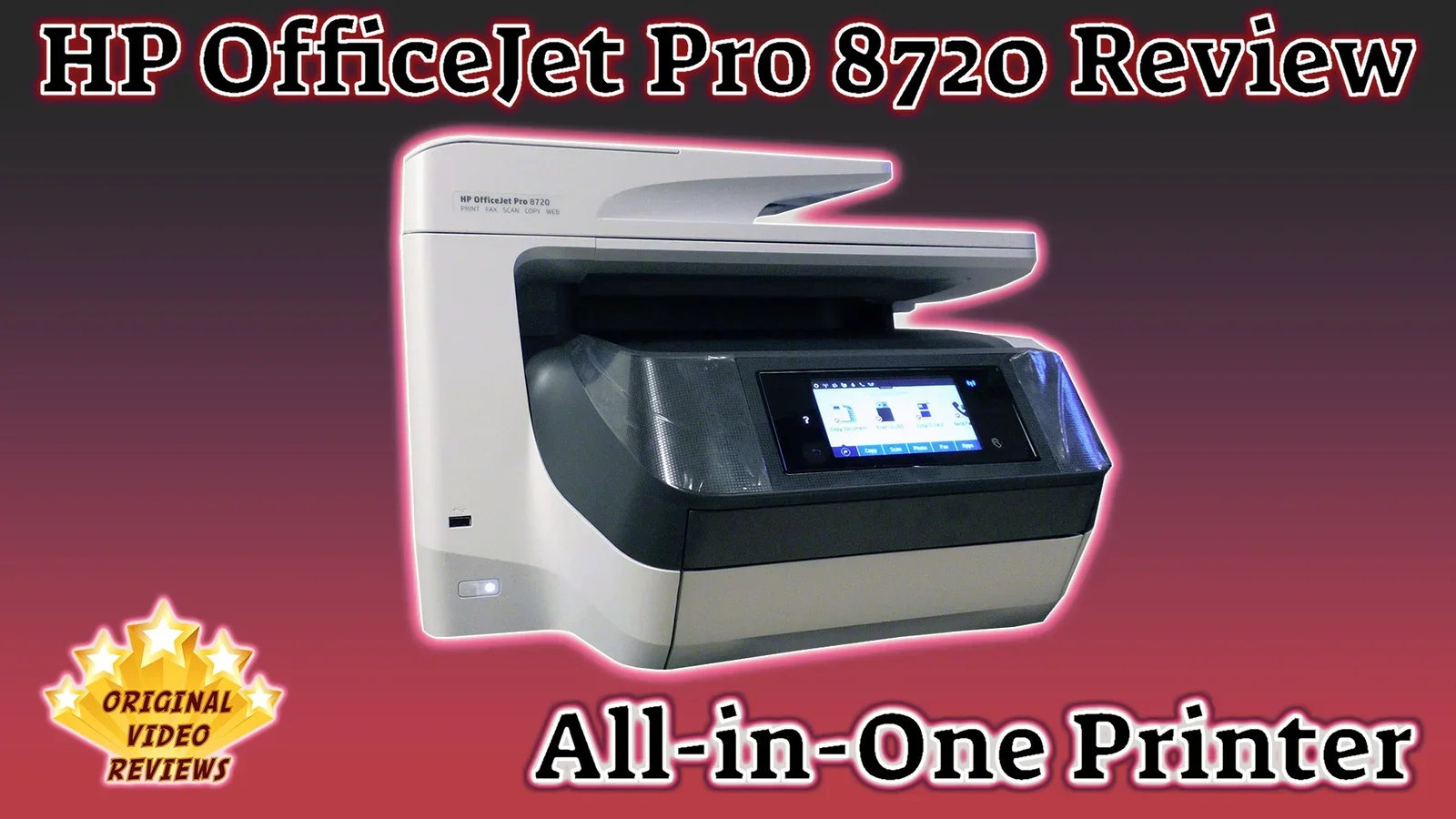
HP OfficeJet Pro 8720 All-in-One Printer A Wi-Fi color inkjet all-in-one printer with a touchscreen
Overview
A multifunction printer is something I use heavily in my home office, since there is always something to print or scan.
All-in-one printers are tricky devices. They are efficient and have been getting better over the years, cramming a printer, a scanner and many other functions into a single device. But if even one thing doesn't work properly (the wireless connection, clumsy operation, the paper feeder, a scanner that distorts the image), it complicates the work.
HP released a new line of all-in-one printers, and I decided to put them to the test. One of them is the HP OfficeJet Pro 8720, which is aimed more at small and medium businesses, and possibly a bit more than a home office or personal use really needs. Printers like this usually take up more space and cost more, but I expect higher performance, easier operation of certain features (such as two-sided printing and scanning) and a higher work volume.
So that is exactly what I am going to find out in this review.
In the video below, I unbox the printer, go over its specs, introduce the additional accessories and set the device up on my Wi-Fi network.
Product description
- Brand
- HP
- Model
- OfficeJet Pro 8720 All-in-One Printer
- Type
- Color inkjet all-in-one printer
The HP OfficeJet Pro 8720 is a color inkjet all-in-one printer that prints, scans, copies and faxes. It offers automatic two-sided (duplex) printing and is operated through a color touchscreen control panel. It connects to your network over Wi-Fi or a wired connection.
According to HP, it prints up to 24 pages per minute in black and up to 20 pages per minute in color, and its automatic document feeder holds 50 sheets.
The HP OfficeJet Pro series includes the 8710, 8720, 8730 and 8740 models, and models may vary a bit depending on where you live. Most of what I mention in this review applies to the other models as well, with slight changes.
Specifications
Printing
| Print speed (black) | Up to 24 pages per minute According to HP |
| Print speed (color) | Up to 20 pages per minute According to HP |
| Cartridges | HP 952, 952XL and 956XL According to HP |
| Duplex | Automatic two-sided printing, scanning and copying |
Paper Handling & Scanning
| Input tray | 250 sheets Expandable to 500 sheets with an optional second tray |
| Output tray | 150 sheets |
| Document feeder | Automatic, 50 sheets |
Control & Connectivity
| Control panel | 4.3-inch (10.9 cm) color touchscreen According to HP |
| Connectivity | Wi-Fi, wired network, USB host port, NFC |
Size & Weight
| Dimensions (W x D x H) | About 50 x 45 x 34 cm (19.7 x 17.7 x 13.4 in) About 53 cm (20.9 in) deep with the duplexer. According to HP |
| Weight | About 15 kg (33 lb) According to HP |
Specifications according to HP's US product page for the 8710/8720/8730/8740 series. They may vary by region.
Inside the box
Box contents according to HP's US product page for the 8710/8720/8730/8740 series, and may vary by region. A USB cable is not included.
Pros
Easy to set up: It is easy to set up the printer and connect it to the WiFi network.
Easy to operate: It is easy to operate the 8720 thanks to the touchscreen control panel.
Variety of features: The 8720 offers p-l-e-n-t-y of features (I will expand on it as time goes by because I am still learning about it...).
Installed tutorials: I love the tutorial videos on the touchscreen control panel (if needed of course...).
Economical: The printer is considered relatively economical, thanks to the ink costs, which are supposed to be very low per page.
3-year warranty: HP's 3-year warranty is always a great thing to have. This may vary between regions.
Cons
Setting the printer on your computer: HP gives a user manual that explains perfectly how to set up the printer, but the explanation on how to install the printer on a computer or which app is relevant for your smartphone/tablet is not so detailed.
I guess that this information can be found easily on the web if you read the user manual or insert the CD and follow its instructions, but I think if they put so much effort into making the user's life easier, they could offer a specific page with the relevant information just for that (the same page as the one dedicated to the setup of the printer itself).
The absolute price of the cartridge.
No USB cable: The printer does not come with a USB cable (for those who need it...).
Overall Verdict
This is an excellent printer, a real workhorse.
HP's new-generation wireless connection works great. In previous years there were more delays and failures when printing wirelessly.
The digital navigation menu offers a sea of options. I don't use all of them, but there is a whole world there. It feels like a leap forward compared to the simpler home or personal printers.
The main disadvantage, in my view, is that it takes up a lot of space.
A small business, even a medium one, will get a lot of value from it. For personal printing and scanning here and there, it is less relevant. Cost and space will make many people give up on this printer.
The HP OfficeJet Pro 8720 is an excellent workhorse of a printer with great wireless connection, best suited to small and medium businesses. Its size and cost will make many people give up on it for occasional personal use.
Where to buy
Below is the link to purchase the HP OfficeJet Pro 8720 All-in-One Printer (or similar models):
User Manual
HP OfficeJet Pro 8720 Series Manuals
User manuals, on the HP support site
Additional Links
HP OfficeJet Pro 8720 Product Page
Official product page, as provided by HP
FAQ
Can it scan a 2-sided page automatically?
How can I reduce/enlarge the size of the document when I scan/copy it?
1. Touch Copy / Scan
2. Choose Settings
3. Scroll down to the Resize option and use enlarge or reduce (in %)
4. Touch return
5. Touch Black or Color to copy.
Hope you will be able to proceed from here by yourself.
How to set up the printer on a Wi-Fi Protected (WPS) Network?
What paper size can I use with this printer?
Got questions about the HP OfficeJet Pro 8720 All-in-One Printer?
Already purchased the HP OfficeJet Pro 8720 All-in-One Printer yourself?
Comments
More Printers

Subscribe OVR channels
Choose the channels you like and subscribe on YouTube.
Disclaimer
This post contains affiliate links.
Please check out my disclosure policy for more details.
Thank you for your support & understanding!

[…] I reviewed the HP OfficeJet Pro 8610 & the HP OfficeJet Pro 8720 It just looks too […]