DATA FROG Y3 Arcade Wireless plug-and-play retro gaming system with M8 TV Stick
Overview
I really enjoy reviewing retro gaming consoles and accessories. That said, it has been a while since I last covered arcade joysticks.
Back then, arcade joysticks connected directly to a computer, and I needed a separate console to actually play on a TV. Since then, quite a few interesting solutions have shown up on the market.
That is how I came across the Y3, which connects wirelessly straight to a TV over HDMI. Both of these, a direct TV connection and skipping the separate console, are things I always wanted, but whenever solutions did exist, they either fell short or were priced too high. This one had an attractive price and looked impressive, and it kept showing up in ads I came across, so I decided to go for it. I ordered the version with two joysticks, and I am curious to see whether it delivers on what was missing from the experience before, and whether it brings back the magic of arcade games today.
Product details
- Brand
- Data Frog
- Model No.
- Y3 Arcade-02
- Type
- Wireless Arcade Console
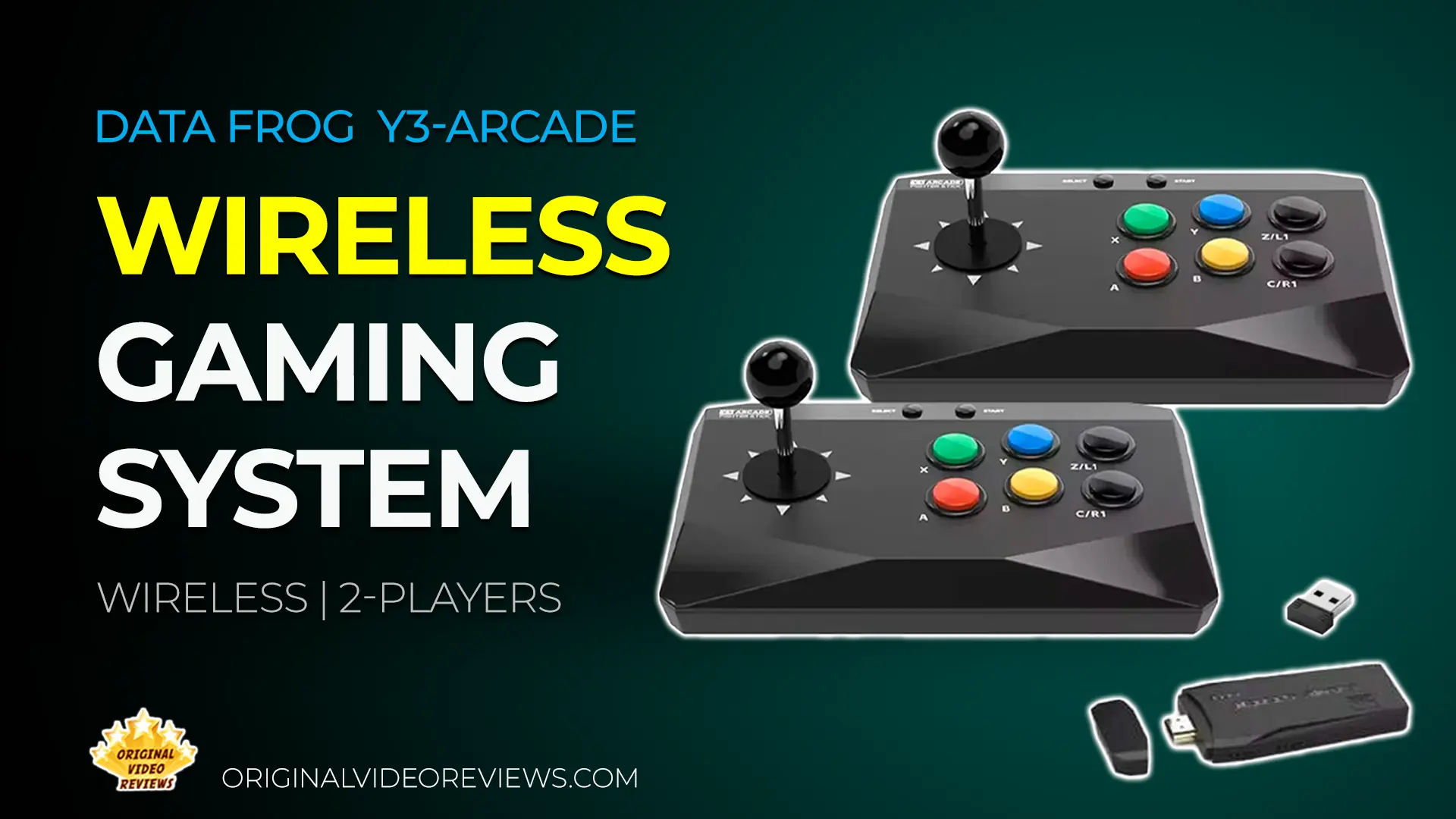
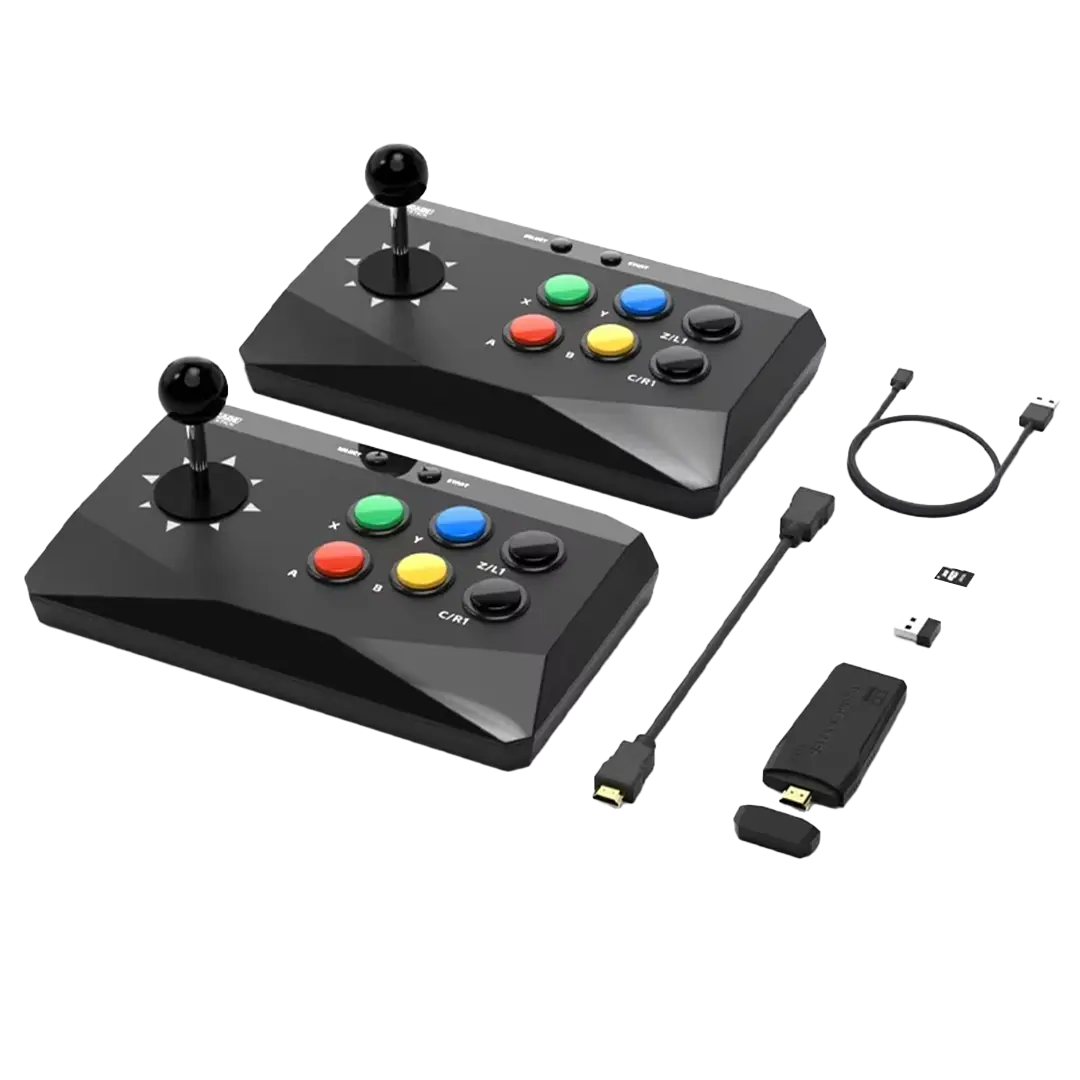
The DATA FROG Y3 Arcade is a kit made up of two components: the wireless arcade-style controllers and the M8 dongle. The controllers can also work on their own, without the dongle. It is sold in both 1-stick and 2-stick bundles, I went with the 2-stick version.
The controllers connect over 2.4GHz through an included USB receiver. Plug that receiver into a phone, tablet, or computer running Windows, iOS, or Android, and the controller works as a standard wireless joystick, or with a separate emulator app on that device. Alternatively, the included M8 dongle plugs into a TV over HDMI and runs its own built-in emulator, no separate console or PC required, giving the same controllers a plug-and-play TV setup as well. The M8 Game Stick is essentially a small computer, similar in concept to a Raspberry Pi, a compact, low-cost computer hobbyists commonly use to build custom devices such as retro gaming emulators, just packaged here as a ready-to-use dongle instead of something you assemble yourself.
The M8 dongle itself appears to be a white-label product, sold under different brand names depending on the seller, and comes in different configurations, sometimes bundled with differently shaped controllers, including PlayStation-style pads, and is sold with memory cards of varying capacity. See the FAQ below for what that means for the built-in game library.
According to specifications, the M8 dongle outputs up to 4K, though the retro games themselves were not originally created in that resolution, so actual gameplay follows the source material rather than the dongle's maximum output. Listed wireless effective range for the controllers is up to 8 meters.
Each controller runs on 3x AA batteries and has 6 face buttons (A, B, X, Y, C/R1, Z/L1) plus SELECT and START, along with an 8-direction joystick. According to the manufacturer, the system is compatible with Windows, Android, and iOS.
Specifications
Connectivity & Storage
| Connections & Dongles | |
| Controller Connection | Wireless 2.4GHz Via included USB dongle |
| Wireless Effective Distance | Up to 8 meters |
| TV Output Connection | HDMI Via "M8" branded dongle |
| Network Game Downloads | Supported |
| Game Storage | MicroSD card Slots into the HDMI dongle connected to the TV |
Video & Performance
| Output & Game Speed | |
| HDMI Dongle Output | 4K |
| Listed Resolution | 1280x720 |
Controllers
| Controller Layout & Power | |
| Power Source | 3x AA batteries per controller |
| Buttons | 6 face buttons: A, B, X, Y, C/R1, Z/L1 Plus SELECT and START |
| Directional Stick | 8-direction, including diagonals |
Hardware & Packaging
| Product Data | |
| Supported Systems | Windows, Android, iOS |
| Single Package Size | 33 x 18 x 11 cm |
| Single Gross Weight | 0.955 kg |
Inside the box
Pros
Wireless Controllers Both controllers connect wirelessly over 2.4GHz via the included USB dongle, no cables needed during gameplay.
Large Joystick Housing The controllers use noticeably large joysticks.Some have compared the size to Neo Geo controllers, though the buttons here are colorful and arranged differently.
Flexible Use Works as a standard wireless joystick or paired with the M8 HDMI dongle to play the built-in emulator, giving it more use beyond just the console setup.
Cons
Basic Plastic Build The controllers are made of simple plastic, noticeable in the button feedback and in the joystick, which feels hollow under pressure.
No Bluetooth Connectivity is wireless 2.4GHz via the included USB dongle only, there is no Bluetooth option.
Simple Suction Mount The unit attaches to a surface using suction, which works reliably only on certain smooth surfaces. Long-term durability of the suction pads is unclear, though replacements appear to be cheap and widely available online.
6-Button Layout This controller has 6 face buttons, while more advanced versions of this joystick offer 8. That's enough for most retro titles, but less ideal for games mapped to 8 buttons, such as fighting games like Tekken on the PS1 emulator.
Overall Verdict
The M8 dongle isn't loading the MicroSD card that shipped with this unit, it displays "Please insert TF card" even with the card inserted. Checking the card on a computer, Windows flagged it with a repair error, and running a repair made the card readable again as a generic drive, but the M8 still won't recognize it. On the surface this points to a corrupted or invalid card, though I haven't confirmed that's the root cause with certainty. I've reached out to Data Frog for the original system image to restore it and I'm currently waiting on their response. I'm intentionally holding off on chasing other fixes for now, I'd rather see how the brand handles this first. The fact that this specific model isn't sold anymore doesn't really lower the bar here, Data Frog is a fairly established, well-known name in this space, so I'm hoping they follow through. I'll update this section once I hear back.
My full verdict on the DATA FROG Y3 Arcade is on hold until I can get the unit actually running games, since I don't want to judge the experience based on a defective card rather than the product itself. Once it's up and running, I'll come back and write the real verdict here.
The controllers themselves make a good first impression, but right now the unit isn't loading any games, the card it shipped with isn't being recognized by the device. This section will be updated once I hear back from Data Frog and get it running.
Where to buy
Below are the links to purchase the DATA FROG Y3 Arcade:
Photos
Additional Links
Data Frog Official Website
datafrogx.com
FAQ
How many games come with the DATA FROG Y3 Arcade?
Do the controllers need batteries?
Got questions about the DATA FROG Y3 Arcade?
Already purchased the DATA FROG Y3 Arcade yourself?
More Gaming & Consoles

Retro Gaming & Consoles
Check out my full collection of gaming console and controller reviews, all covered hands-on.
Explore All ReviewsMore Computer Accessories
Controllers & Joysticks
Check out my full collection of controller and joystick reviews, all reviewed with a hands-on approach.
Explore All ReviewsSubscribe OVR channels
Choose the channels you like and subscribe on YouTube.
Disclaimer
This post contains affiliate links.
Please check out my disclosure policy for more details.
Thank you for your support & understanding!

Comments